Read the Frame - Field Reference Guide

Read the Frame - Field Reference Guide
Stop guessing. Start editing with intention. This 12-page visual reference guide gives you instant answers to the questions that slow you down in Lightroom.
What's Inside
12 Essential Visual References covering your complete editing workflow:
Foundation Tools
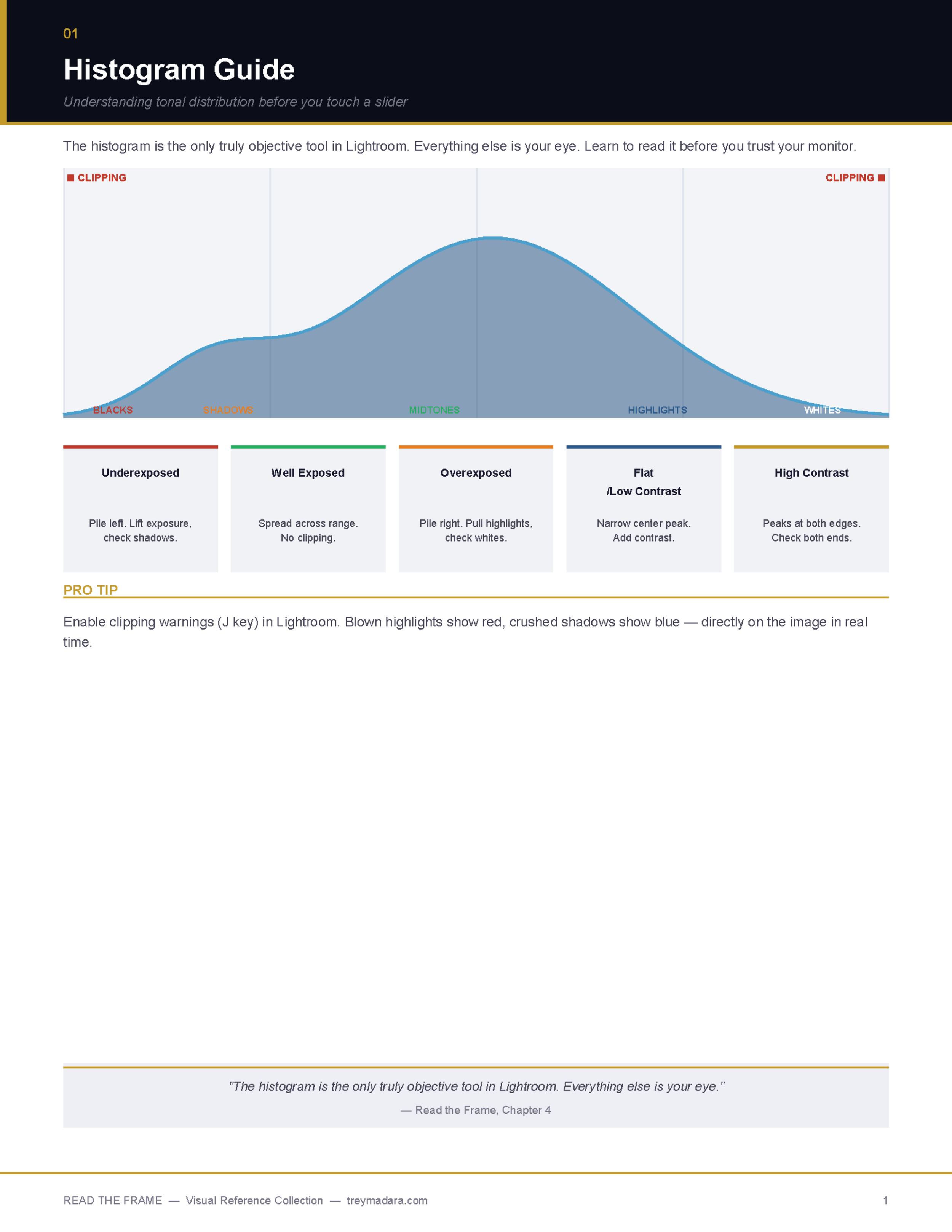
Histogram reading guide with clipping zones
Tone curve strategies (S-curve, flat/matte, shadow lift, film fade)
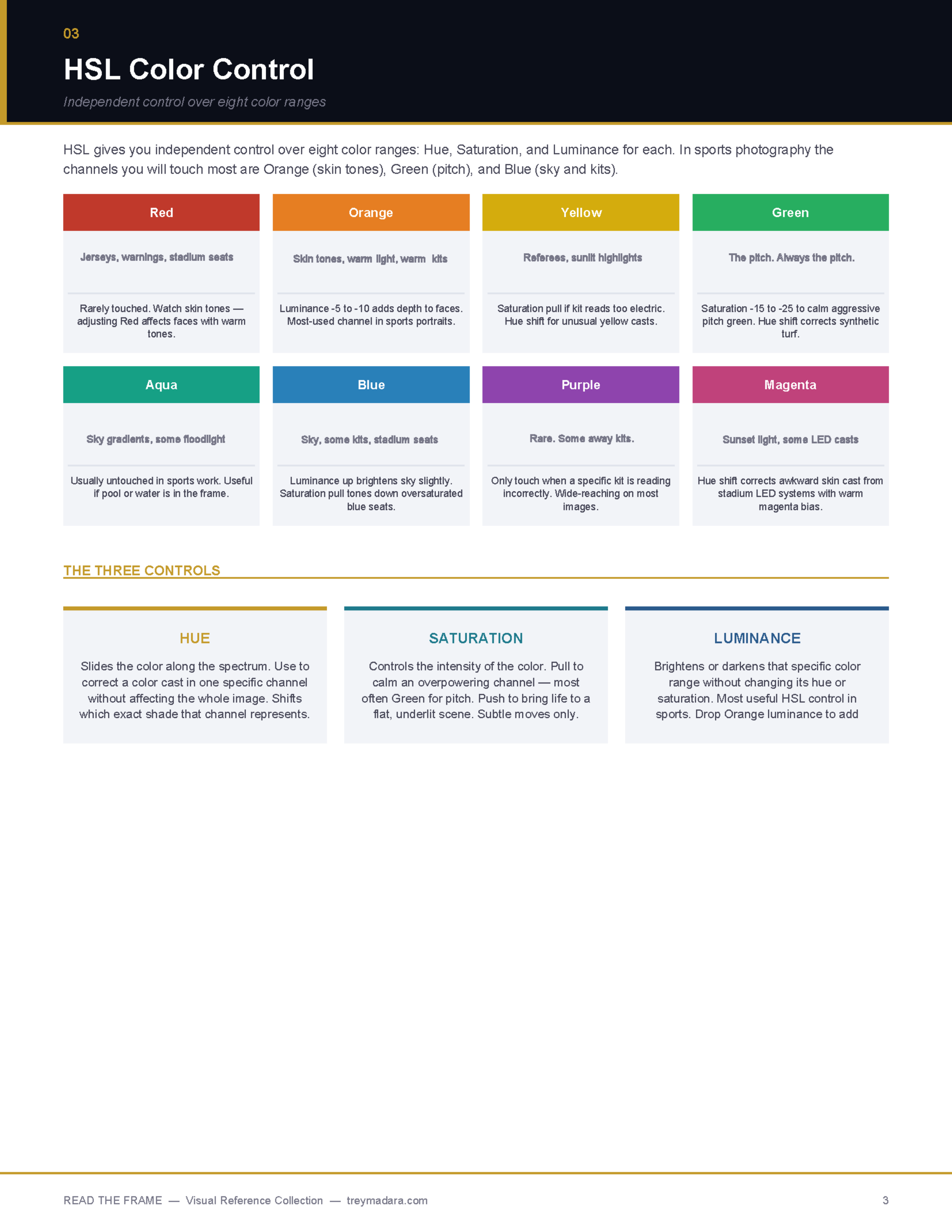
HSL color control for sports-specific adjustments
White balance for every lighting scenario (stadium floods, sunlight, indoor arenas)
Creative Control
6 color grading mood presets (Stadium Night, Golden Hour, Film Fade, Warm Skin, etc.)
Edit order flowchart (9-step process from "Read the Frame" to final crop)
Composition frameworks (rule of thirds, vignettes, protecting the feet)
Advanced Techniques
Masking & local adjustment tools
Sharpening settings for sports/portraits/landscapes
Noise reduction strategies (AI Denoise vs manual)
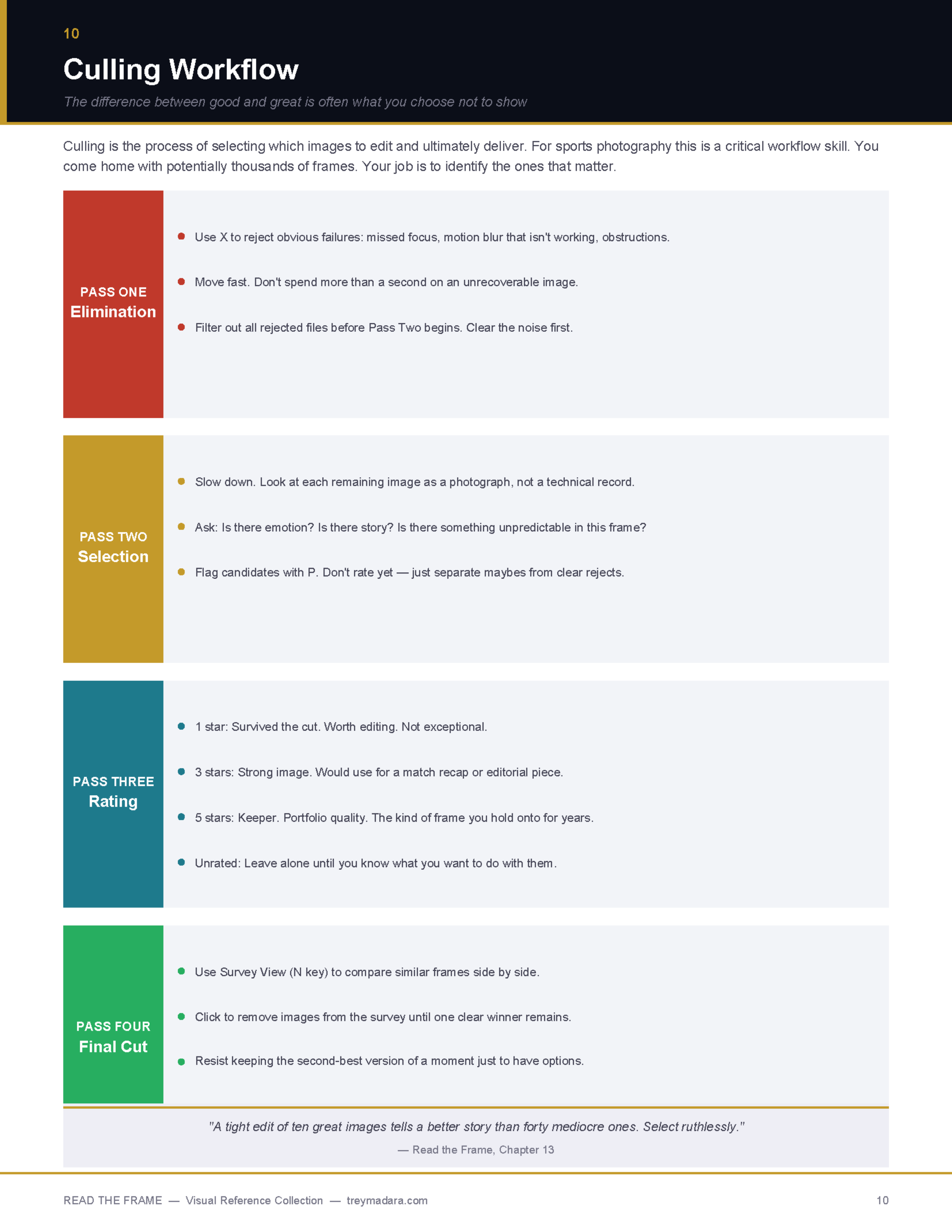
Culling workflow (4-pass system from elimination to final cut)
Professional Workflow
Lightroom keyboard shortcuts (culling, develop, export)
Export settings for social, editorial, print, and archive
File naming conventions
Format: Digital PDF (instant download)
Pages: 12 visual references + cover
File Size: ~18 MB
Resolution: 300 DPI (print-ready quality)
__________________________________________________________________________________________________
How to Use It
This isn't a course. It's a reference tool designed to sit next to you while you edit.
Stuck on white balance for an overcast day game? Flip to page 5.
Can't remember your sharpening settings for portraits? Page 9.
Forgot which tone curve creates that film look? Page 2.
Each page is densely packed with visual examples, specific settings, and practical guidance you can apply immediately.
Who This Is For
✓ Sports photographers building a consistent editing style
✓ Anyone tired of re-Googling "how to read a histogram" every week
✓ Photographers who want a faster workflow without sacrificing quality
✓ Shooters who know Lightroom but want to refine their decision-making
Not for: Complete beginners who've never opened Lightroom. This assumes you know where the sliders are.
__________________________________________________________________________________________________
FAQ
Q: Can I print this?
Yes! All graphics are 300 DPI print quality. Print the entire guide or keep specific pages at your desk.
Q: Does this replace the course?
No. The course teaches you why and how to see. The field reference is your quick lookup tool once you already know the concepts.
Q: What if I don't shoot sports?
The principles apply to any photography with people, action, or challenging light (events, concerts, portraits, documentary).
Q: Is this just Lightroom settings I could Google?
No. This is a curated visual system built specifically for sports photography editing decisions, with context you won't find in generic Lightroom tutorials.
Q: Do you offer refunds?
Digital products cannot be returned once downloaded. See our full return policy.
"The style you're looking for isn't something you invent. It's something you discover by doing the work long enough and honestly enough that it starts to reveal itself."
— Read the Frame